 Unroll
Our agent failed 58 of 200 tasks in last night’s eval. The results file is 110 MB of JSONL. How do I find out what went wrong?
reasoning31 words
They need to read the failed runs, be able to trust that what they see matches the file, and skip writing another parsing script. Start with the runs, then the steps.
Read what your agent did,
step by step.
Unroll is a free VS Code extension for reading agent transcripts: eval runs, Hugging Face trajectory datasets, and Claude Code or Codex sessions. It shows each run as a conversation, links every step to the JSON record it came from, and lets you pick the runs worth reading by outcome or any other field. Files are read locally and nothing is sent anywhere.
Install for VS Code
Try it on this page
Unroll runs in desktop VS Code. Send yourself the link and install it there.
Free and MIT licensed · VS Code 1.96+ · Windows, macOS, Linux · works offline
Unroll
{ "file": "claude-session.jsonl" }
→ result at line 3
↳ Unroll · line 2
This is a Claude Code session, 13 lines of JSONL as the agent wrote them. Press play or drag the handle to show it as a conversation, then select any message to see the line it came from. The other tabs have a dataset of agent runs, a chat dataset, other log formats and a 50,000-line file. You can also open one of your own files; it’s read in this tab and not uploaded.
Drop a .jsonl fileIt’s read in this tab. Nothing is uploaded.
Drop a .jsonl or .json file anywhere on this box. It is parsed in this tab and never uploaded.
That was one session. An eval usually produces one file with hundreds of runs, so the first job is choosing which runs to read.
Select
{ "where": "resolved is false" }
→ result at line 5
↳ Select · line 4
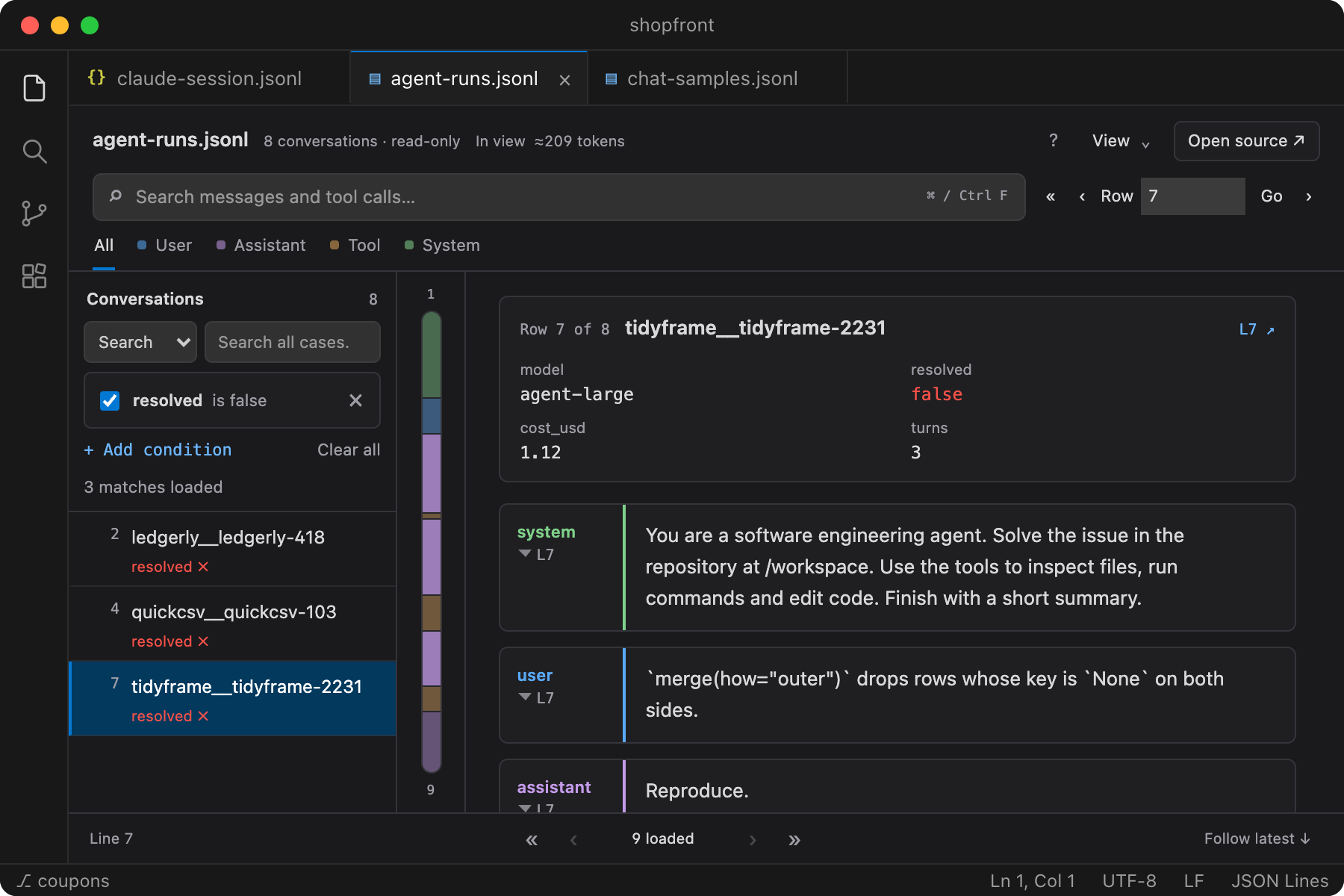
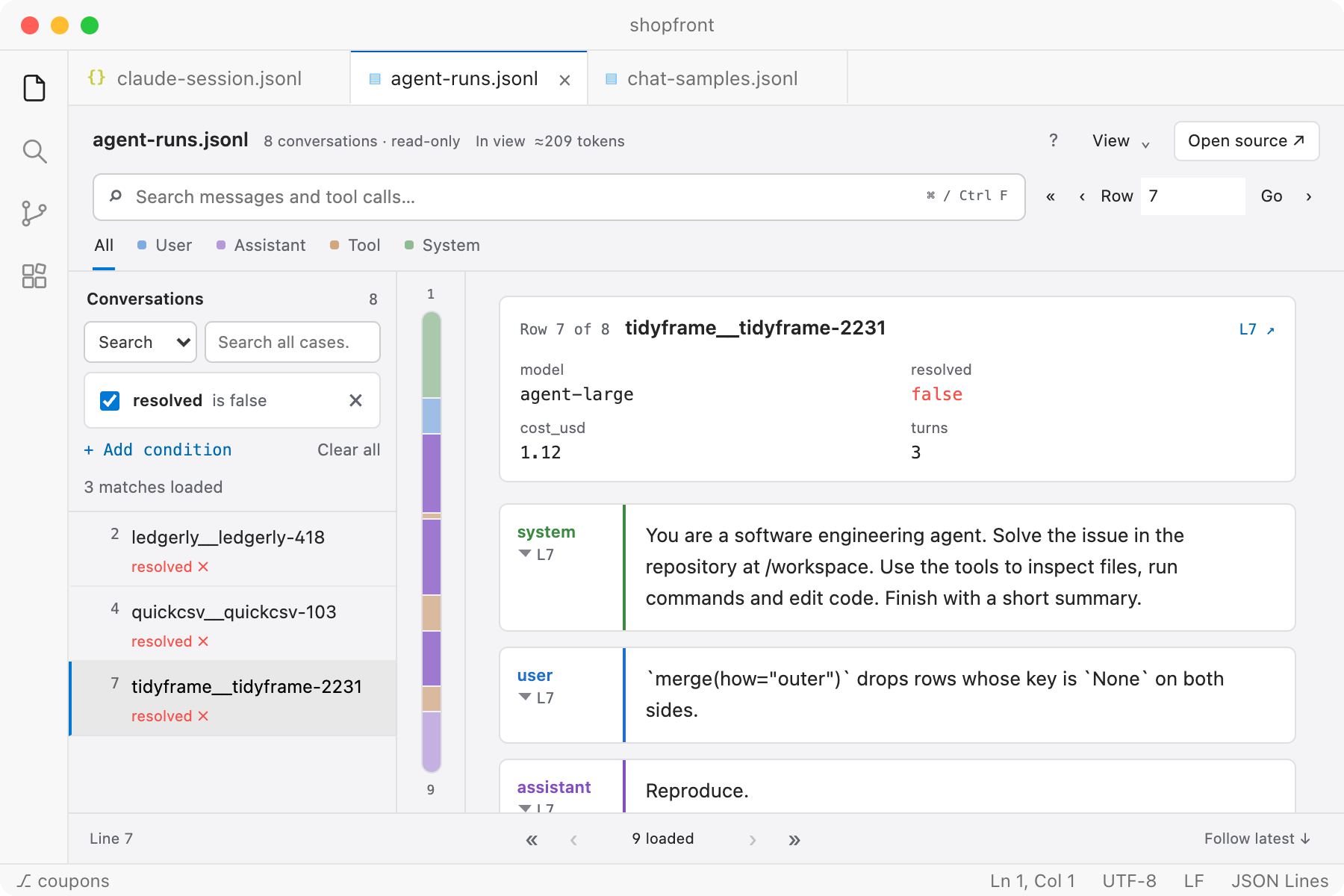
Pick the runs to read
When each row of a file is a full run, as in SWE-agent, OpenHands and τ-bench results, Unroll lists the runs with their outcomes. Add conditions on any field, including nested metadata such as metadata.judge.score, to narrow the list to the runs you care about. Each run’s model, score or cost appears above its conversation, and ⇧J and ⇧K step through the matching runs.
Inside a run, each tool call is linked to its result.
Follow
{ "call": "toolu_01Hx9Rw2" }
→ result at line 7
↳ Follow · line 6
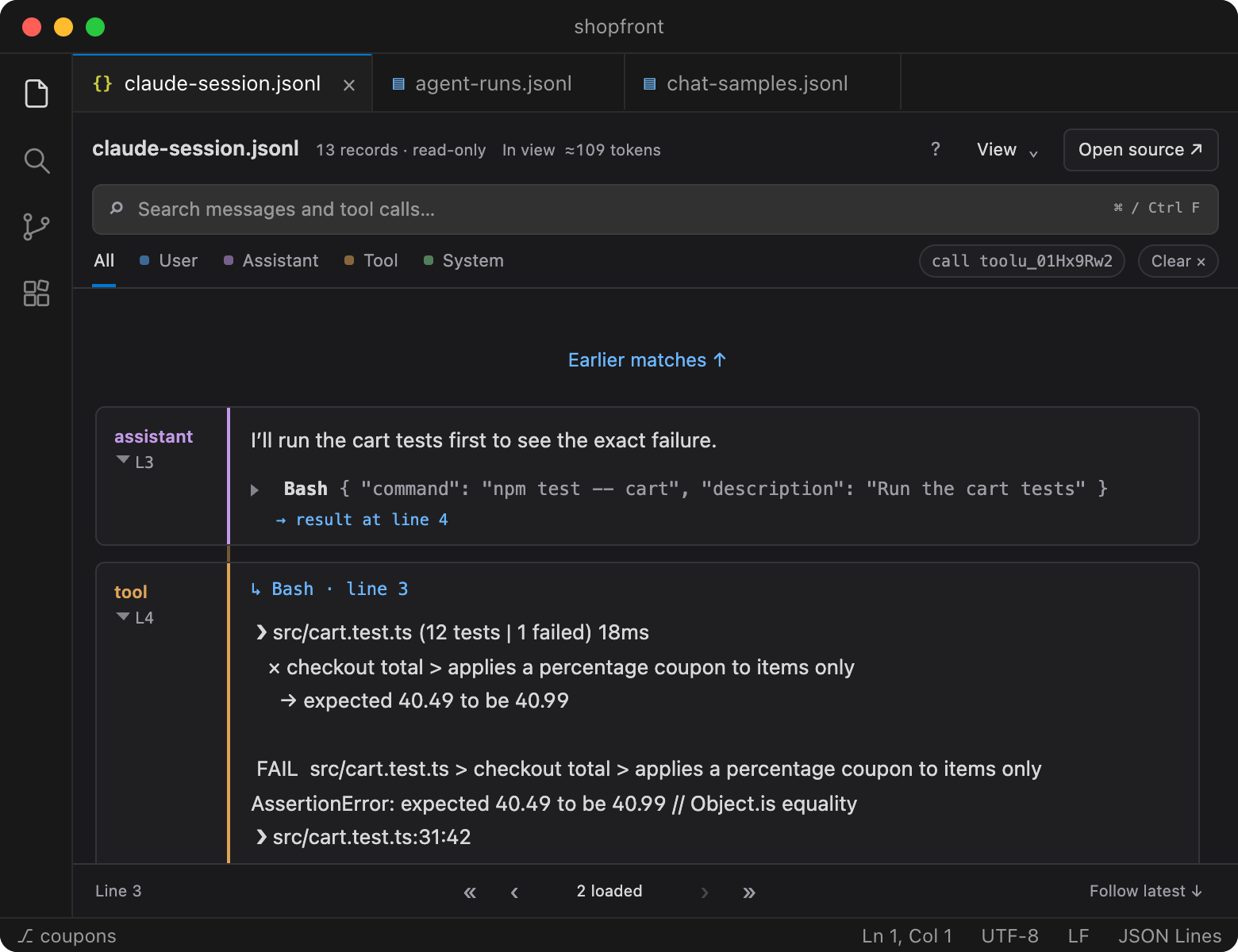
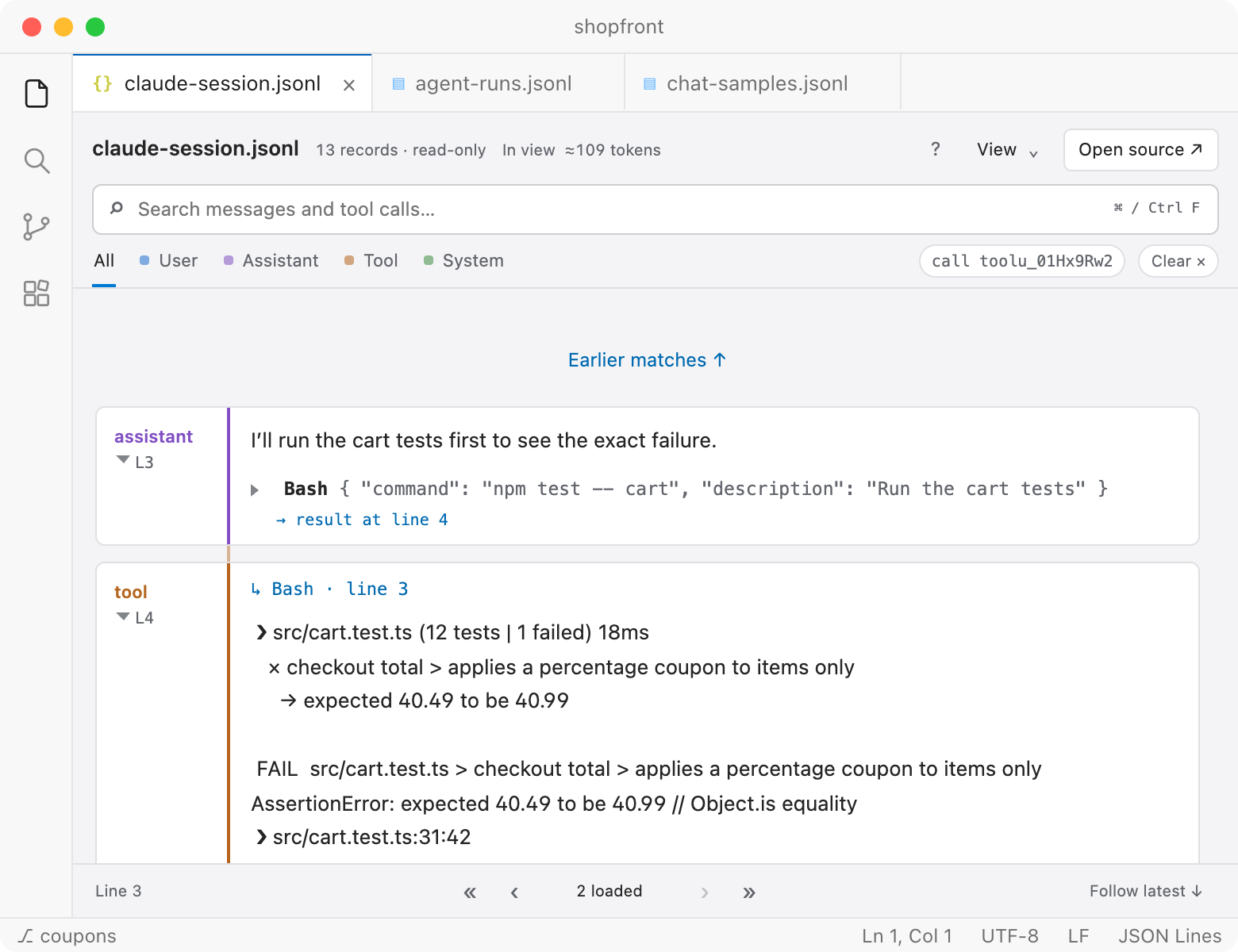
Follow each tool call to its result
Arguments are shown as fields instead of escaped JSON strings. Select result at line N to see a call next to its output, even when the output arrives many steps later. Calls and results are matched by their IDs; when a match is ambiguous, Unroll leaves the call unlinked rather than guessing.
Every step can be checked against the file it came from. Press R on any message on this page to see its record.
Record
{ "line": 7 }
→ result at line 9
↳ Record · line 8
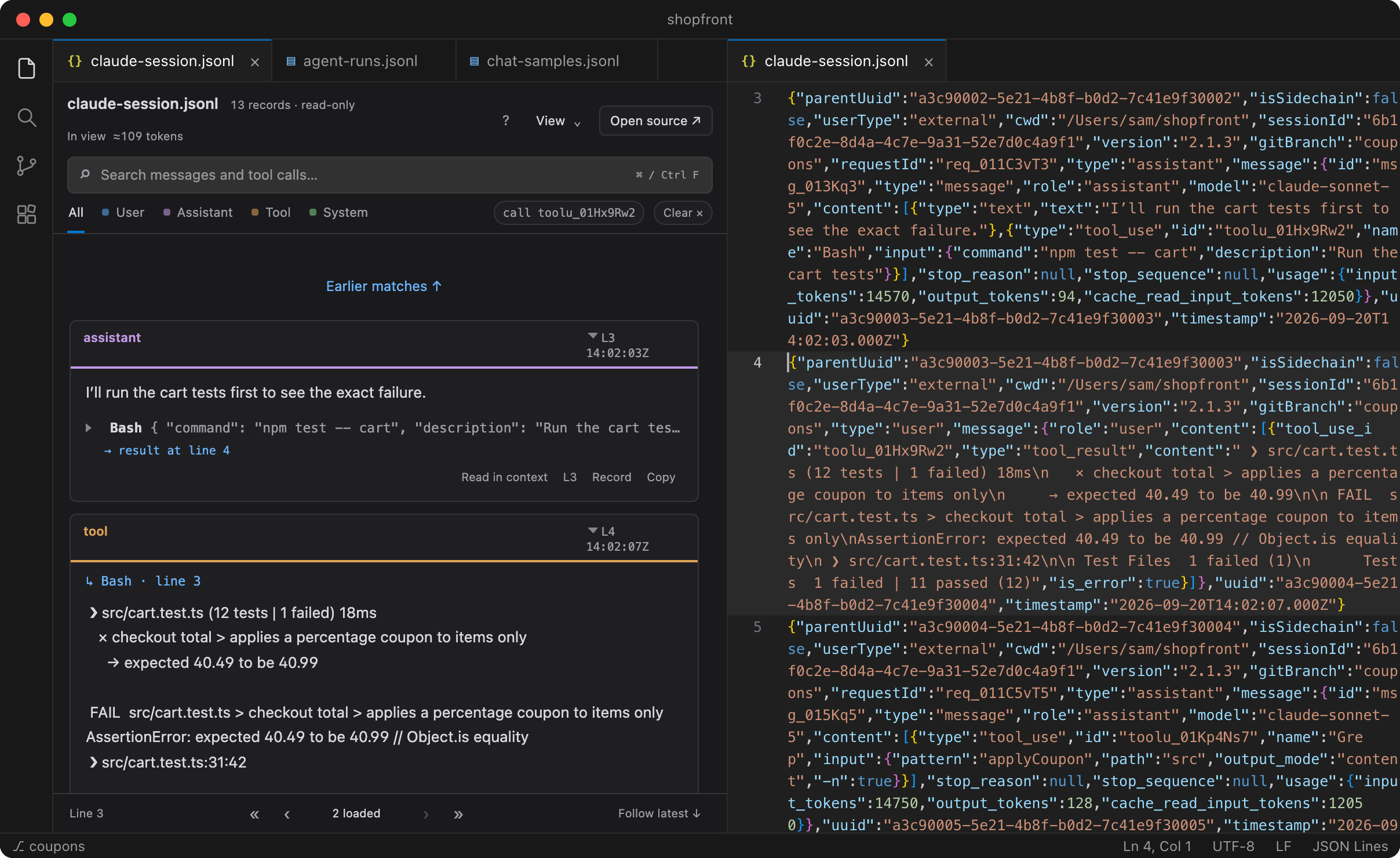
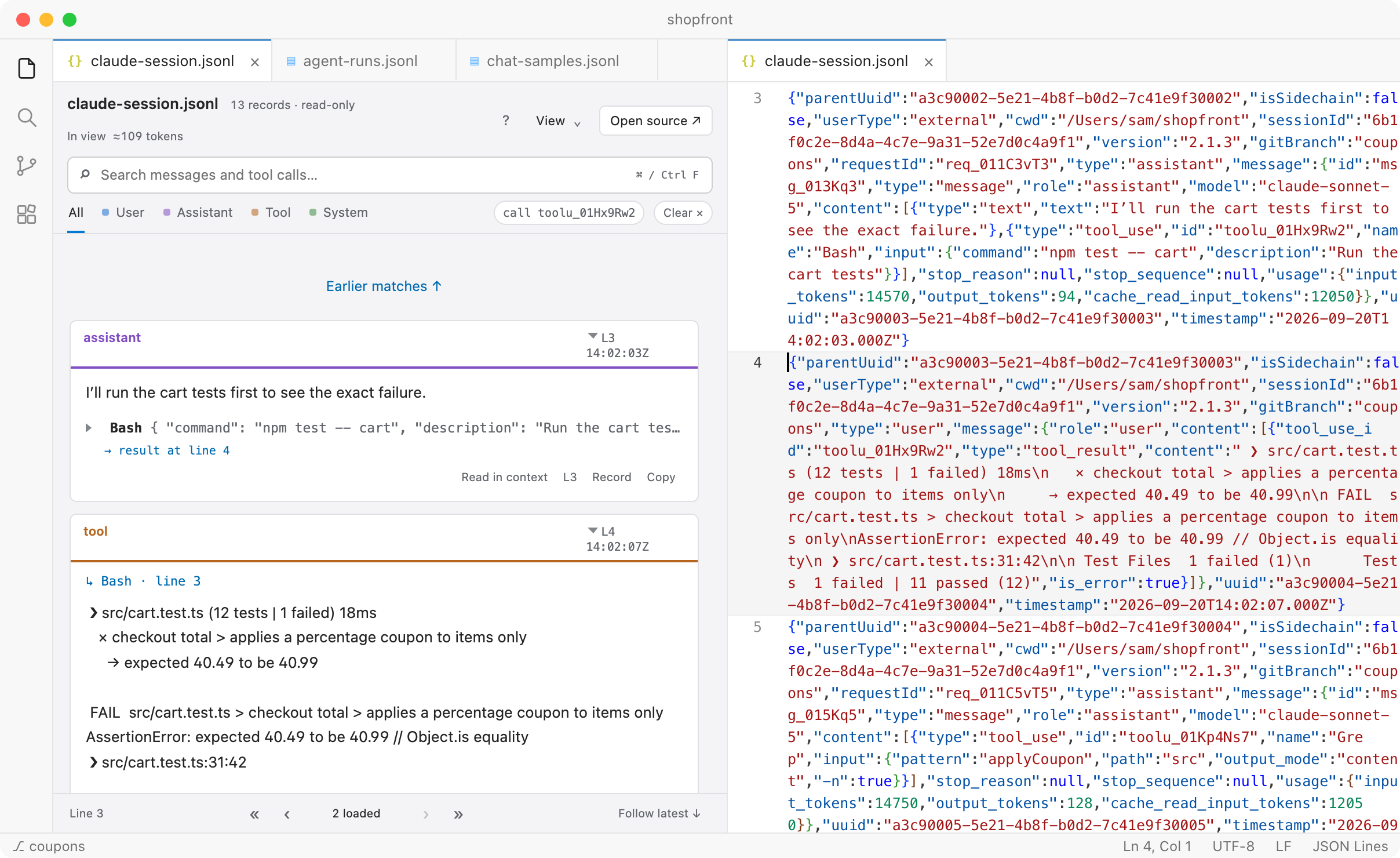
Check every step against the source
Switch any message to the exact JSON record it came from, or open its line in the file beside the preview. Line numbers always refer to the original file, so a filtered view still points to the right place. Records Unroll doesn’t recognize are kept as raw events rather than dropped.
To find a particular step in a large file, search it. The search box above works on this page too; press /.
Grep
{ "pattern": "applyCoupon" }
→ result at line 11
↳ Grep · line 10
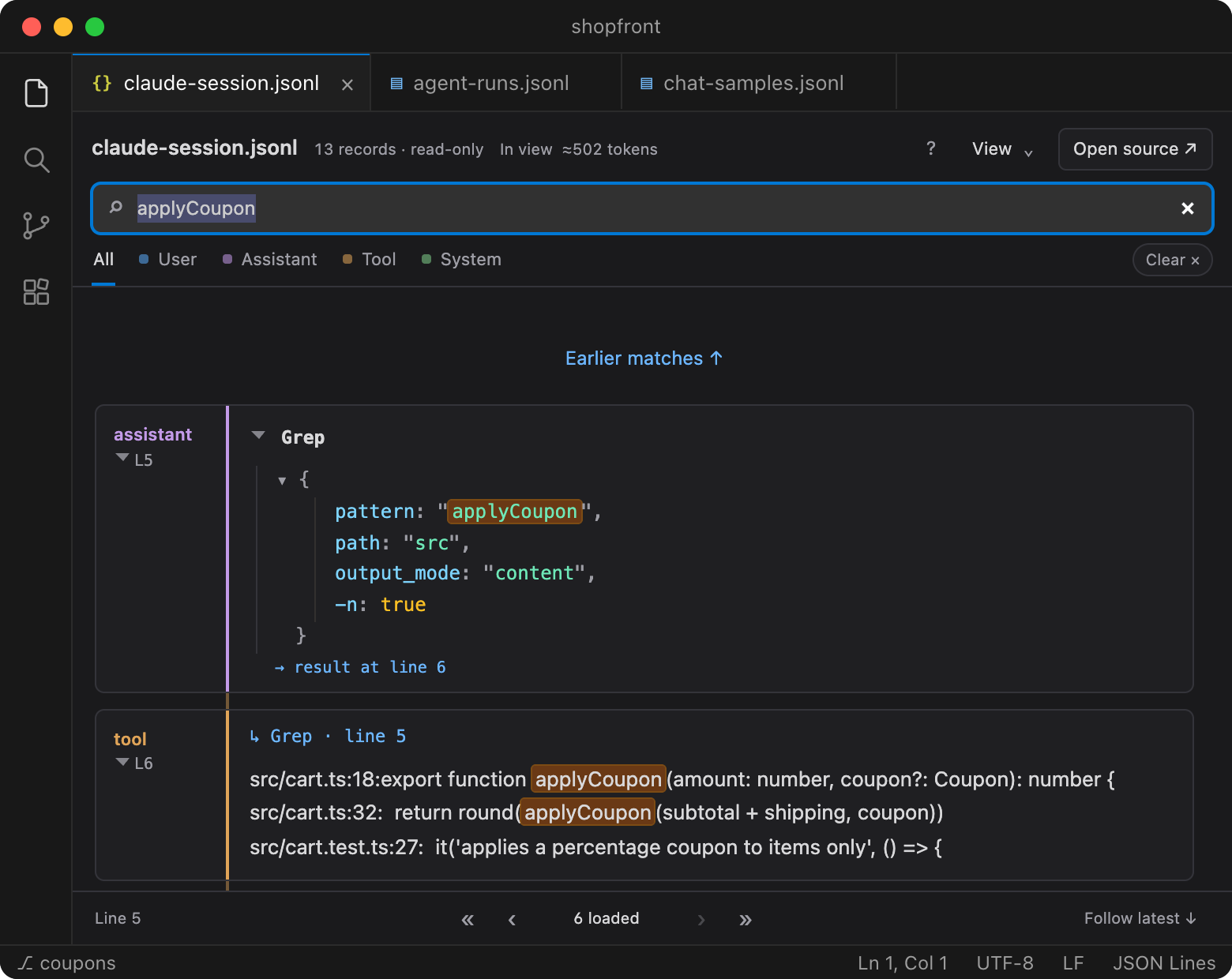
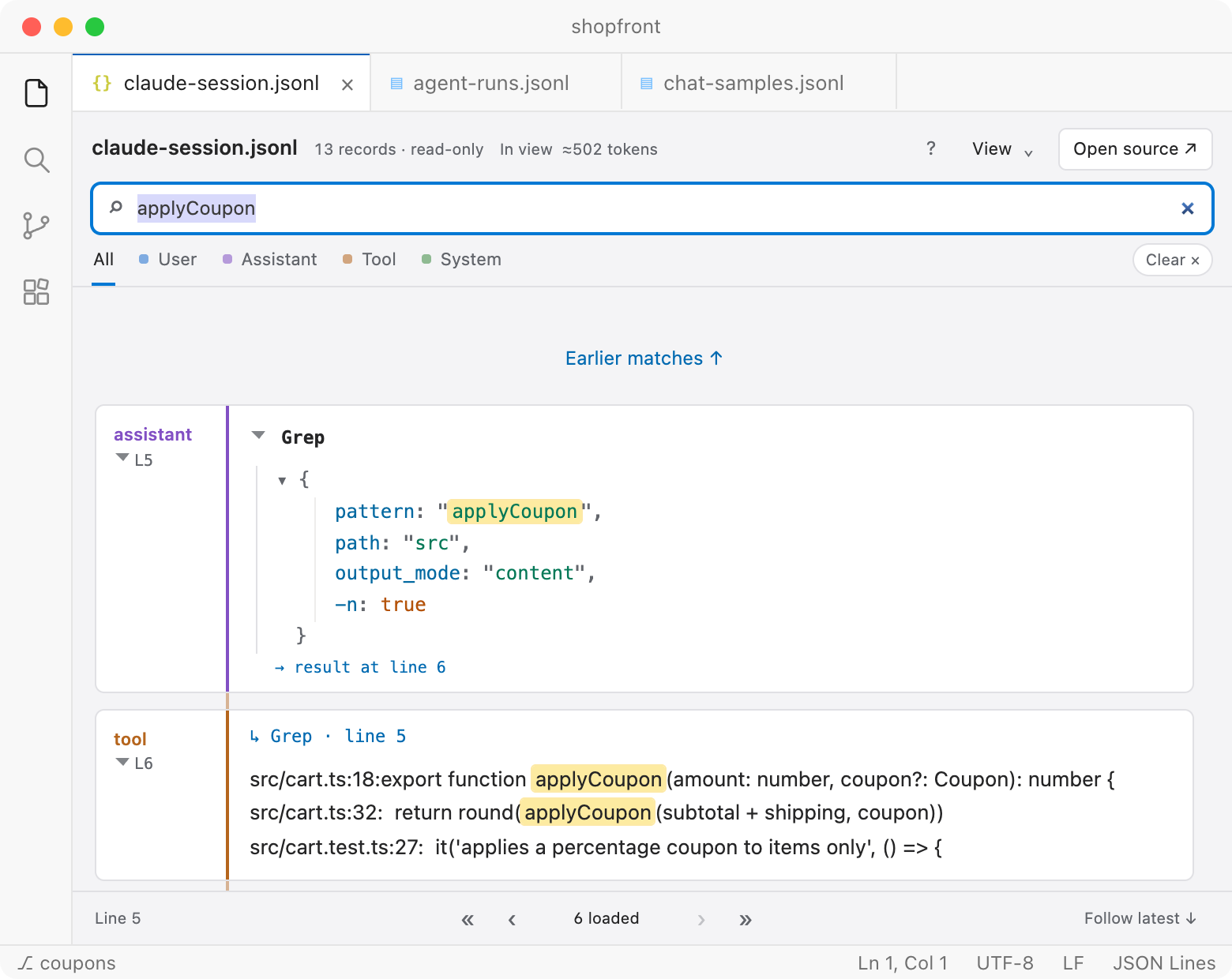
Search the whole file
Search message text, tool names, arguments and results, and filter by role. Matches are highlighted inside formatted arguments. On a large file, search reads through the whole file in the background, and you can stop it and continue later.
A few more details:
Large files
Saved JSONL of any size opens straight from disk, and Unroll reads only what you scroll to. In benchmarks on a laptop, a 110 MB log with 110,000 messages shows its first messages in under a second.
Remote machines
Over Remote SSH, WSL or a dev container, Unroll runs where the files are, so results on a cluster can be read without copying them.
Runs in progress
Leave a file open while an agent writes to it. New steps appear as they’re written; press F to follow the latest.
Chat and training data
Read fine-tuning and preference datasets one conversation at a time, with Markdown, tables and code rendered.
Unroll also has an optional, experimental way to ask a language model about a run or a dataset. For questions about how often something happens, it asks you to label a random sample and reports an estimate with a 95% interval computed from your labels. Investigations are off by default.
Can I see it working?
Here is a one-minute walkthrough, recorded with the extension and made-up example files.
Play
{ "video": "walkthrough.mp4", "duration": "1:00" }
→ result at line 15
↳ Play · line 14
No sound. On-screen notes explain each step, and captions and a text transcript are available.
Supported formats
Unroll reads .jsonl, .ndjson and .json files in these formats. Anything it doesn’t recognize is shown as raw JSON events.
- Claude Code, Anthropic
- Message envelopes, text, thinking, tool use and results
- Codex, OpenAI Responses
- Response items, messages, function calls and outputs
- OpenAI Chat Completions
- Role and content messages with tool calls
- Gemini
- Parts, function calls and function responses
- Vercel AI SDK
- Text, reasoning and tool parts
- OpenTelemetry GenAI
- Input and output message attributes on spans
- LangChain, LangGraph
- Human, AI and tool messages, including state dumps
- Chat and trace datasets
- One conversation per row: ShareGPT, SWE-agent, OpenHands, τ-bench and similar
Log formats change between tool versions, so a file may only partly match. Inspect eval logs and Parquet files aren’t supported. If your files don’t display well, send a small sanitized sample. Format details
How do I install it?
Install
Unroll works with desktop VS Code 1.96 or newer. Install it from the Visual Studio Marketplace; it takes a few seconds.
Install
Open Unroll on the Marketplace and choose , or search for in VS Code’s Extensions view.
Open a file
Right-click a
.jsonl,.ndjsonor.jsonfile and choose . Your usual text editor stays the default.Offline?
Download
unroll-<version>.vsixfrom the latest GitHub release, then choose in the Extensions view’s menu.
Or from a terminal:
code --install-extension mhermon.unroll
Your data stays where it is.
Transcripts often contain unreleased model outputs, proprietary code and credentials. Reading a file in Unroll sends nothing anywhere: there is no account, server or telemetry. Investigations are the only feature that contacts a model provider, and they are off until you turn them on. Privacy details
- Works with no network connection
- Reads files on the remote machine over SSH, WSL or containers
- Never runs the tool calls recorded in a transcript
- Never changes your trace files
- Doesn’t load remote images found in transcript content
Try it on your own results.
Install the extension, right-click a results file and choose . No setup, conversion or account is needed.
| Task | Without Unroll | With Unroll |
|---|---|---|
| Pick the failed runs | write a filter script | add a condition |
| Find a tool call’s result | search for its ID | one click |
| Confirm a step matches the file | find the line by hand | press R |
| Open a 110 MB log | less or a script | first messages in under 1 s |
If one of your files doesn’t display correctly, open an issue with a small sanitized sample. That is the fastest way to get a format supported.